Introduction:
An ISO file or an optical disk image file is in fact, an image of a physical disc. Such files are created for transporting the contents of a physical disc from one place to another. Moreover, they can also be used for creating backups. In this article, we will be using a Linux tool i.e. Mkisofs for creating an ISO backup file in Linux Mint 20.
Method of Creating a Backup ISO File using Mkisofs in Linux Mint 20:
For creating a backup ISO file using Mkisofs in Linux Mint 20, you will have to perform the steps explained below:
Step # 1: Preparing an Updated System:
First, you will have to prepare your Linux Mint 20 system for Mkisofs installation by updating it with the following command:
$ sudo apt update

Step # 2: Installing Mkisofs on Linux Mint 20:
Now, you need to install Mkisofs on your system with the command shown below:
$ sudo apt install mkisofs

Step # 3: Creating a Backup ISO File with Mkisofs on Linux Mint 20:
You can create a backup ISO file with the installed Mkisofs utility by running the following command:
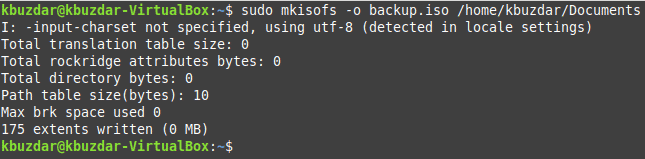
$ sudo mkisofs –o backup.iso /home/kbuzdar/Documents
Here, “backup.iso” is the name of the backup ISO file that will be created whereas “/home/kbuzdar/Documents” refer to the path of the directory whose backup ISO file we want to create. You can change these parameters according to your needs.

Successful creation of a backup ISO file will produce an output resembling the one shown in the image below:
Step # 4: Checking whether the Backup ISO File has been created or not:
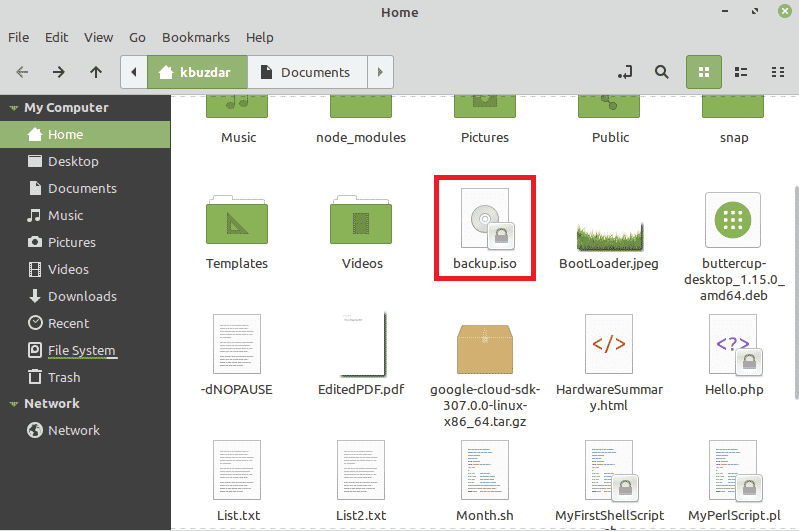
You can confirm the creation of your backup ISO file by visiting your Home directory. Our newly created backup ISO file is highlighted in the following image:
Conclusion:
This guide explained in depth how you can create a backup ISO file in Linux Mint 20 using Mkisofs. After installing this tool on your system, you can create backups of any desired files very conveniently.

Karim Buzdar holds a degree in telecommunication engineering and holds several sysadmin certifications including CCNA RS, SCP, and ACE. As an IT engineer and technical author, he writes for various websites.