
Introduction
The operating system has the option of being able to check the hard drive and its current state, automatically notifying the user if the failure rate increases through the Smartmontools. This is a package of 2 programs: smartctl and smartd.
Smartctl allows control to self-monitor, analyze, report on ATA-3 and other hard drives and SSDs. Now we’re gonna teach you to install smartctl on Ubuntu 20.04.
Installing the Smartctl
Step 1: Update the package
Run the apt command:
$ sudo apt update
Output:

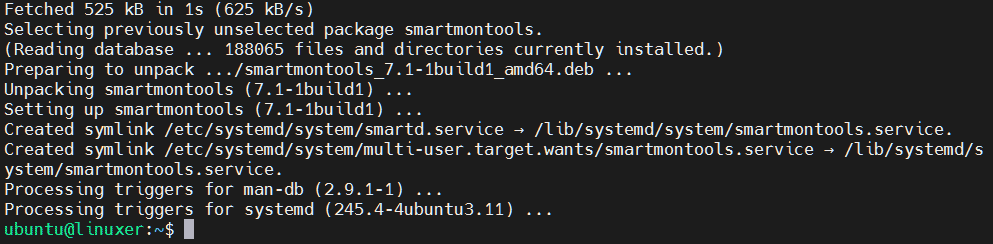
Step 2: Install the smartmontools package:
$ sudo apt install smartmontools
Output:
Step 3: check if your drive is SMART type:
$ sudo smartctl -i /dev/sda
Output:

Step 4: To enable smartctl to auto-launch
$ sudo smartctl -s on /dev/sda
Output:

Uninstalling the Smartctl
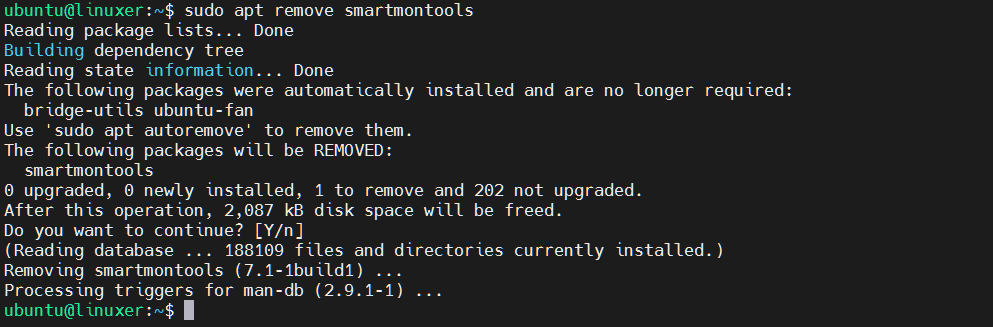
Run the apt command to uninstall:
$ sudo apt remove smartmontools
Output:
Conclusion
We just taught you to install smartctl on Ubuntu 20.04.
Thank you for referring!

Karim Buzdar holds a degree in telecommunication engineering and holds several sysadmin certifications including CCNA RS, SCP, and ACE. As an IT engineer and technical author, he writes for various websites.