
Introduction
The host command in Linux allows the user to lookup DNS (Domain Name System). It can be understood simply that you can search for the IP address of a specific domain name or you can rely on an IP address to find a specific domain name.
This is a useful command because you can rely on options to find more specific details of the domain name. Now we’re gonna guide you about using the host command in Linux. Hope you understand.
The syntax of the host command
The syntax:
host [-aCdlriTWV] [-c class] [-N ndots] [-t type] [-W time]
[-R number] [-m flag] hostname [server]
Options
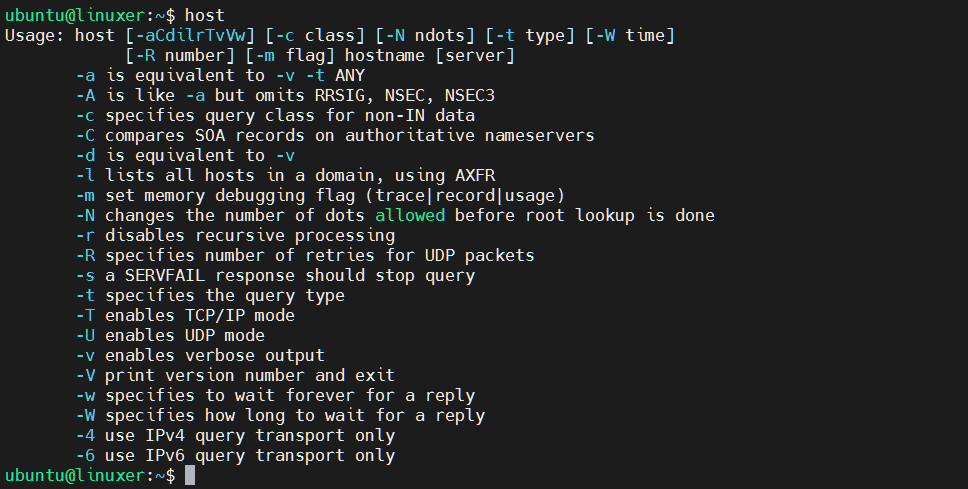
1. Without option
$ host
Output:
2. host domain_name: print out the IP address of the domain
For example, I check the IP of google.com:
$ host google.com
Output:

3. host ip: print out domain of the IP address
For example:
$ host 127.0.0.1
Output:

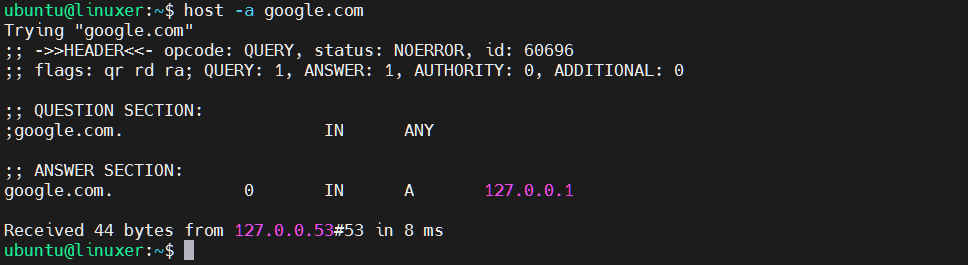
4. -a: specify the query type
For example:
$ host -a google.com
Output:
Conclusion
And we guided you on how to use the host command in Linux.
Thank you for checking it out!

Karim Buzdar holds a degree in telecommunication engineering and holds several sysadmin certifications including CCNA RS, SCP, and ACE. As an IT engineer and technical author, he writes for various websites.