Introduction:
Tmux is a famous terminal multiplexer tool that allows you to launch and operate multiple terminal windows from a single screen at once. It can be used to run multiple command-line programs at the same time. In this guide, we will teach you the method of installing Tmux on a Linux Mint 20 system.
How to Install Tmux on Linux Mint 20?
To install Tmux on a Linux Mint 20 system, the following steps are to be followed:
Step # 1: Get an Updated System:
First, you need to have an updated system so that you can fix all the dependency issues beforehand for which you need to execute this command:
$ sudo apt-get update

Step # 2: Install Tmux on Linux Mint 20:
Then, you can install Tmux on your system with the help of this command:
$ sudo apt-get install tmux

How to Start a Tmux Session on Linux Mint 20?
After installing Tmux on your desired system, you can start a Tmux session with the execution of this command:
$ tmux

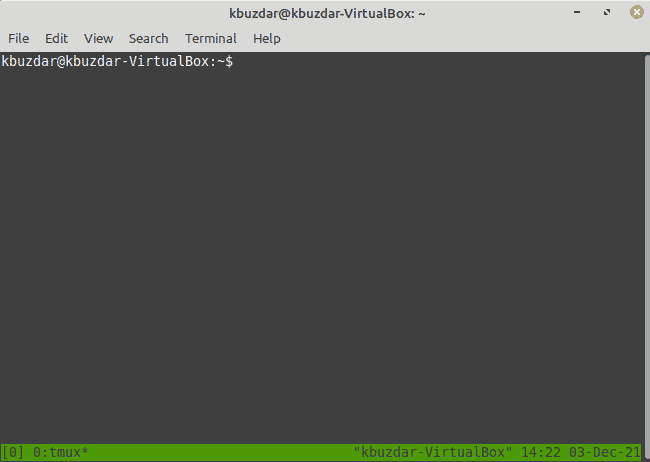
The new Tmux session window is shown in the following image:
How to End a Tmux Session on Linux Mint 20?
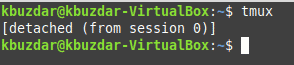
You can end an active Tmux session by pressing the following key combination “Ctrl+b d” after which you will get back to your regular terminal window as shown in the image below:
How to Remove Tmux from Linux Mint 20?
For removing Tmux from your Linux Mint 20 system, you need to run this command:
$ sudo apt-get purge --autoremove tmux

Conclusion:
This guide talked primarily about the installation method of Tmux on a Linux Mint 20 system. Moreover, we also taught you how you can launch a new Tmux session and also abort it followed by the method of uninstalling Tmux from a Linux Mint 20 system.

Karim Buzdar holds a degree in telecommunication engineering and holds several sysadmin certifications including CCNA RS, SCP, and ACE. As an IT engineer and technical author, he writes for various websites.